
Guest harbours · Campsites · Car parks
Find your guest harbour or campsite
Book and set sail – the journey is the destination
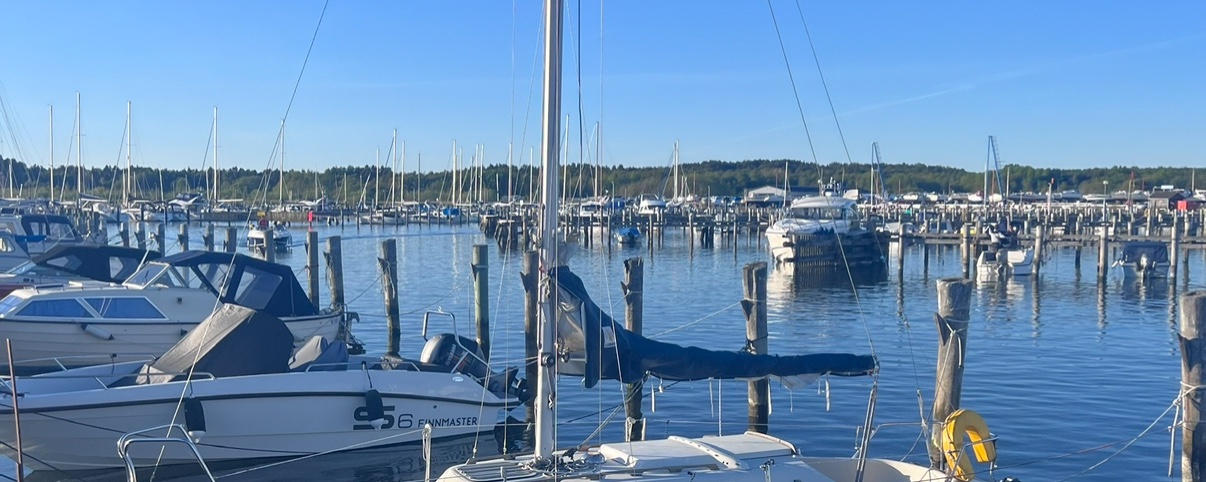
For the guest
Paid before the lines are tied.
No app to download, no account to create. Three steps from the quay to the receipt.
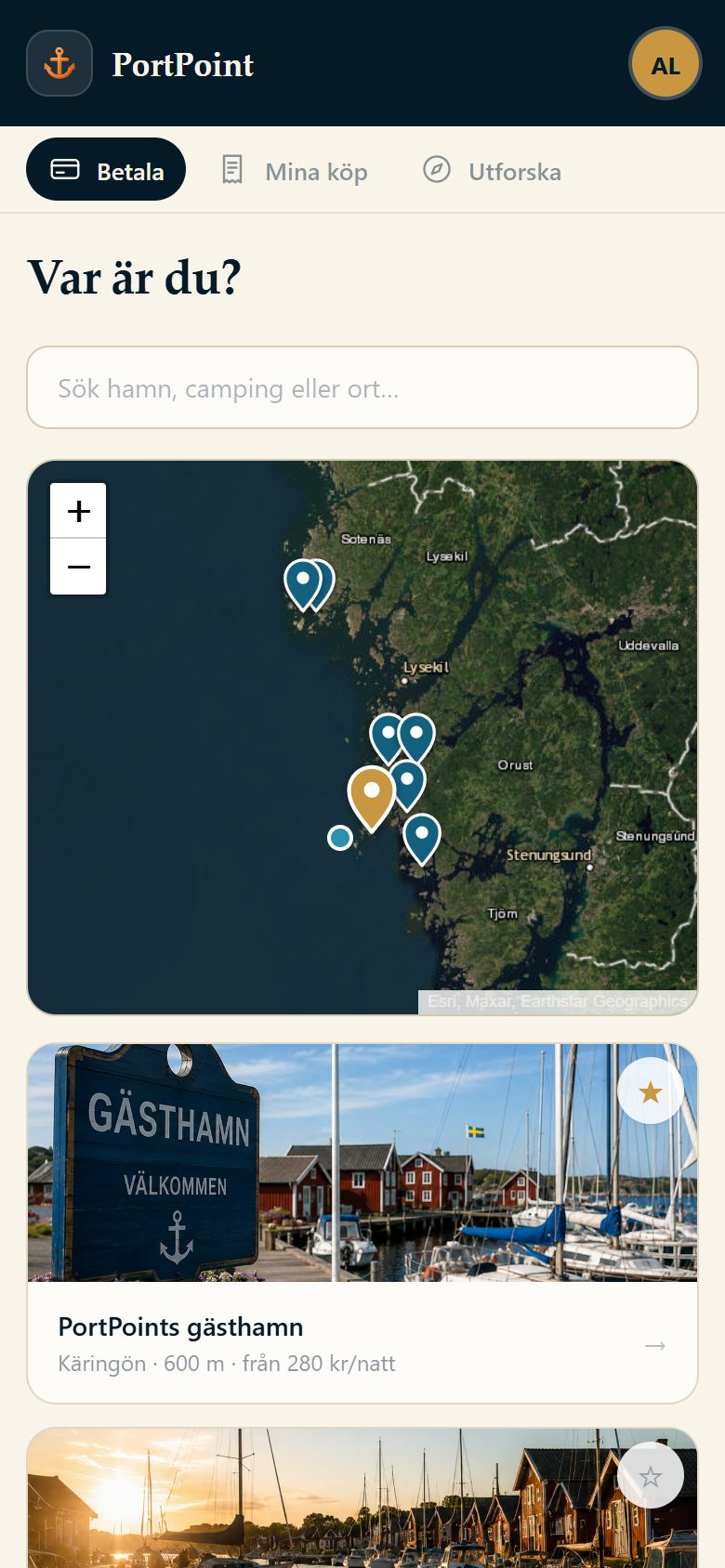
Find the site
Scan the QR code on the jetty, search here or let your phone show the harbours closest to you – with price, facilities and free berths tonight.
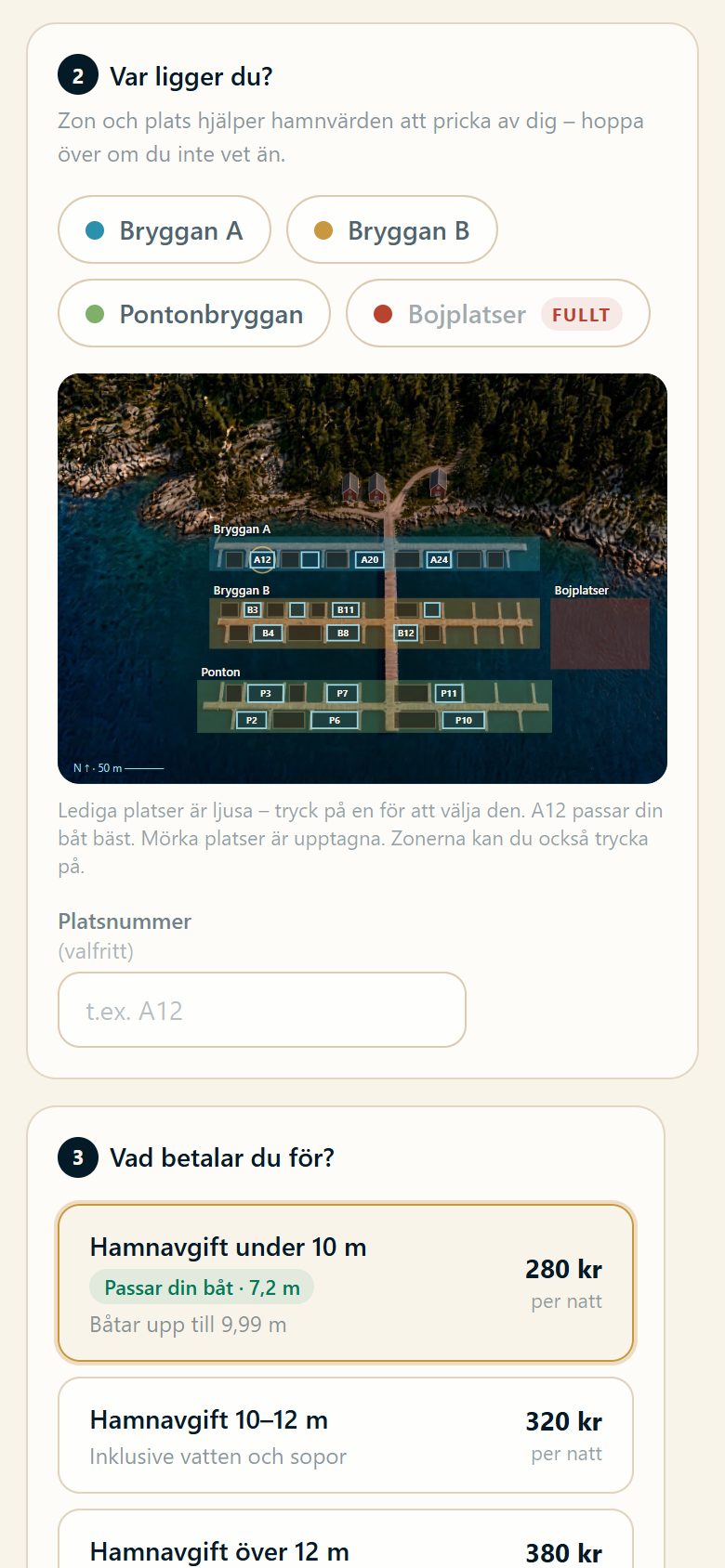
Pick a berth and pay
Point out the berth on the harbour map, add electricity if you like and pay with Swish, Vipps, card or Apple Pay.
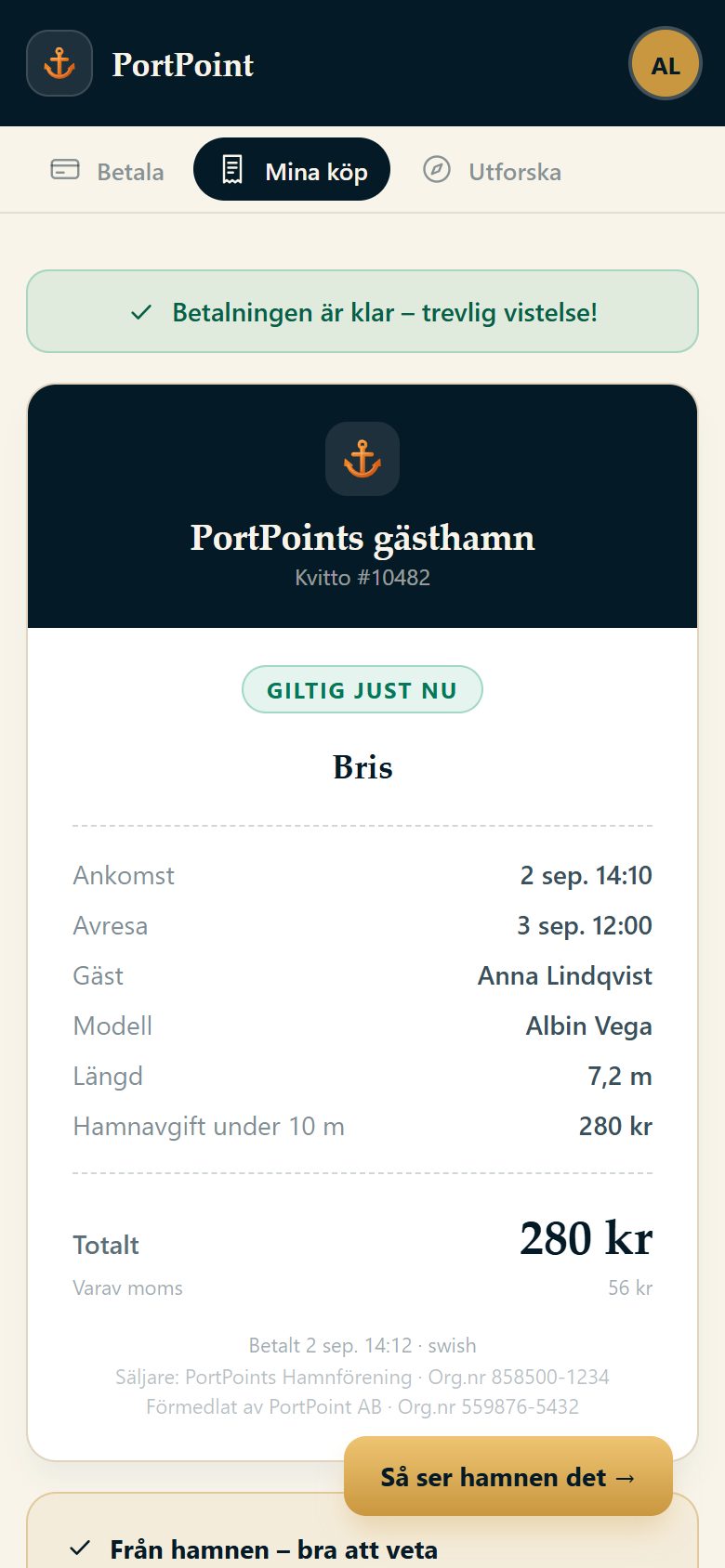
The receipt is your ticket
Berth code, the harbour's door codes and wifi stay on your phone, even without coverage. The harbour host sees straight away that you have paid.
For harbours, campsites & car parks
Do you run a guest harbour, campsite or car park?
The guest pays on their phone, the money lands in your account and you see occupancy live in PortAdmin. Click through the demo – the guest's flow, the receipt and the harbour's side – or book half an hour and we will show it for your own site.
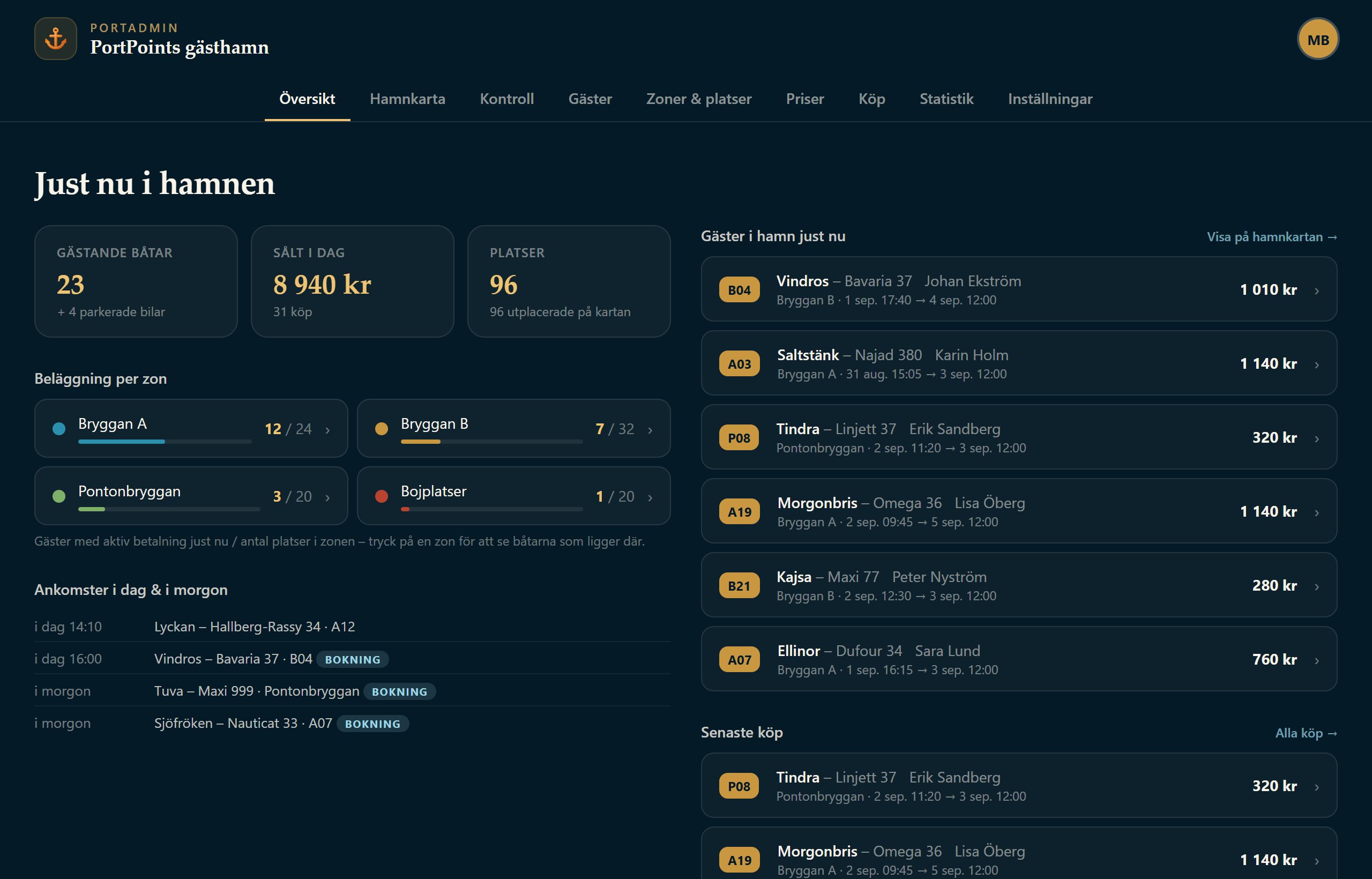
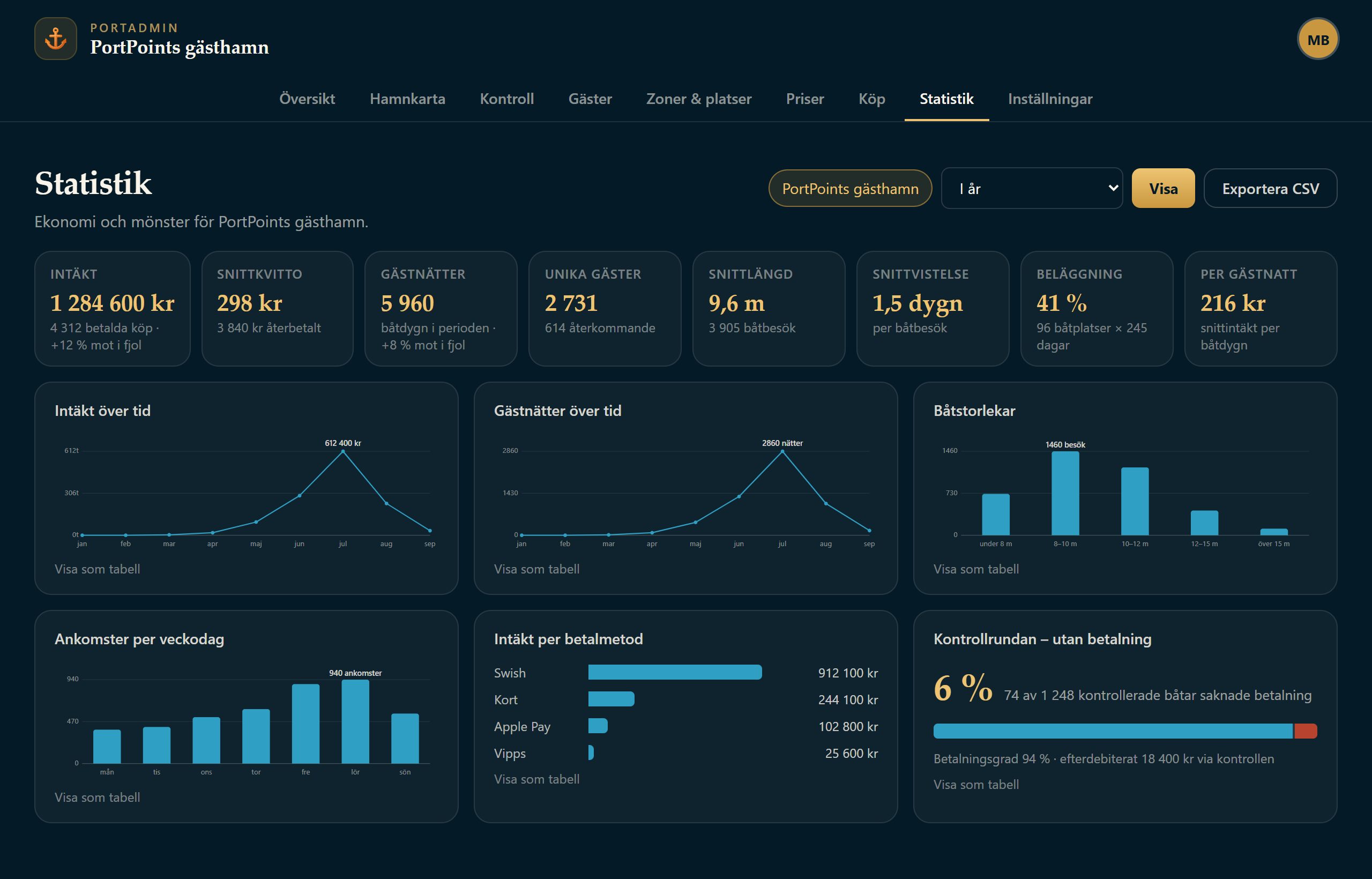
Guest harbours
Zones and berths on your own aerial photo, prices per boat length and season, free berths tonight and the inspection round on the phone.
Campsites and motorhome pitches
The QR code at the entrance is enough. Day changeover, extensions and extras such as electricity and sauna on the same receipt.
Boat clubs and municipalities
Seasonal berths and leases with a waiting list, member discounts, roles per site and reports for the annual meeting or the committee.
Why PortPoint
More paid, less administration.
The money in your account
Every Swish and card payment goes straight to the site's own account. PortPoint never holds funds – no money held back, no settlements to chase.
Fewer slip away
The guest sees the price and pays before the lines are tied. The inspection round shows which berths are unpaid, and the statistics show the payment rate per night.
The situation live
PortAdmin shows who is moored where, today's sales and occupancy per zone. Monthly and annual reports come as PDF – straight into the books.
You are in control
Draw zones, set prices and seasons, switch on advance booking, extras and member discounts. All in PortAdmin, without calling anyone.
Getting started
Up and running without hardware.
Three steps from price list to the first payment.
Draw the zones
Upload an aerial photo of the site and draw jetties, zones and berths in PortAdmin. Set prices per boat length and season.
Connect the payments
Your own Swish Handel agreement, or Stripe and Swedbank Pay for card, Apple Pay and Vipps. The money goes to your account from the first payment.
Put up the QR code
Print the QR code for the jetty or the entrance. The guest scans, pays and gets the receipt – you see it straight away in PortAdmin.
Everything included
- Swish, Vipps, card, Apple Pay and Google Pay
- Advance booking with cancellation cover
- Extras such as electricity, water and sauna with the right VAT per line
- Zones with capacity caps, schedules and seasonal prices
- Digital inspection round with a shared log for staff
- Statistics: revenue, occupancy, payment rate
- Monthly and annual reports as PDF
- Receipts by email and as PDF, business receipts with company number
- Seasonal berths and leases with waiting list and reminders
- Member groups with discounts
- Guest harbour, campsite and car park in one system, roles per site
- Open API – for example lights on the jetty showing free berths
- Weather, facilities and an info page for every site
- Works straight from the phone – no app to download
Safe for you and for the guest
- Payments via Stripe and Swedbank Pay
- Data in Stockholm
- Public service status
- Accessible under the Swedish accessibility act
- Built in Sweden
Frequently asked questions
For you as a guest
How do I pay the harbour fee?
Search for the harbour you are in, enter your boat and pay by Swish or card. The receipt on your phone is your ticket and is valid straight away.
Do I need to download an app?
No. PortPoint works straight in your phone's browser. If you want it as an app, add it to your home screen – then the ticket works offline too.
Can I book a berth in advance?
Yes. In harbours and campsites with advance booking switched on you choose date and berth ahead of time, and you can add cancellation cover.
How do I find a harbour or campsite?
Type the name or the town in the search box at the top, or open the full list. With location sharing on, the closest ones come first, and every site has an info page with prices, facilities and weather.
For you who run a site
What does it cost?
The price depends on the size of the site and which payment methods you want to offer. Book a meeting and you will get a concrete proposal for your own site.
How quickly can we get started?
You draw the zones on the aerial photo yourselves and set prices per boat length and season. With the Swish or card agreement in place you are up and running the same week.
Can we keep our own Swish?
Yes. You connect your own Swish Handel agreement, and for card, Apple Pay and Vipps you use Stripe or Swedbank Pay. The money lands in your account just as it does today.
Can we have a guest harbour, campsite and car park in the same system?
Yes. Every site has its own map, price list and statistics, and staff get access per site at the level read or edit.
What do we need from our staff?
A phone. The harbour host walks the inspection round with the phone: paid berths light up, unpaid ones get a note, and everyone sees the same log.
How do we get the figures for the books?
Monthly and annual reports come as PDF with revenue, guest nights, payment methods and occupancy per zone. Every purchase has a receipt as PDF.
Want to see it for your own site?
Book half an hour and we will go through your setup and your requirements – or click through the demo on your own first.